
Scenes ready to switch
Single camera, picture in picture, or horizontal and vertical split views. Choose from cameras already added, then resize and position the inset.
AGOS Studio
Build camera scenes, choose their sound and place sponsor graphics over the live picture, alongside your event scorecard.
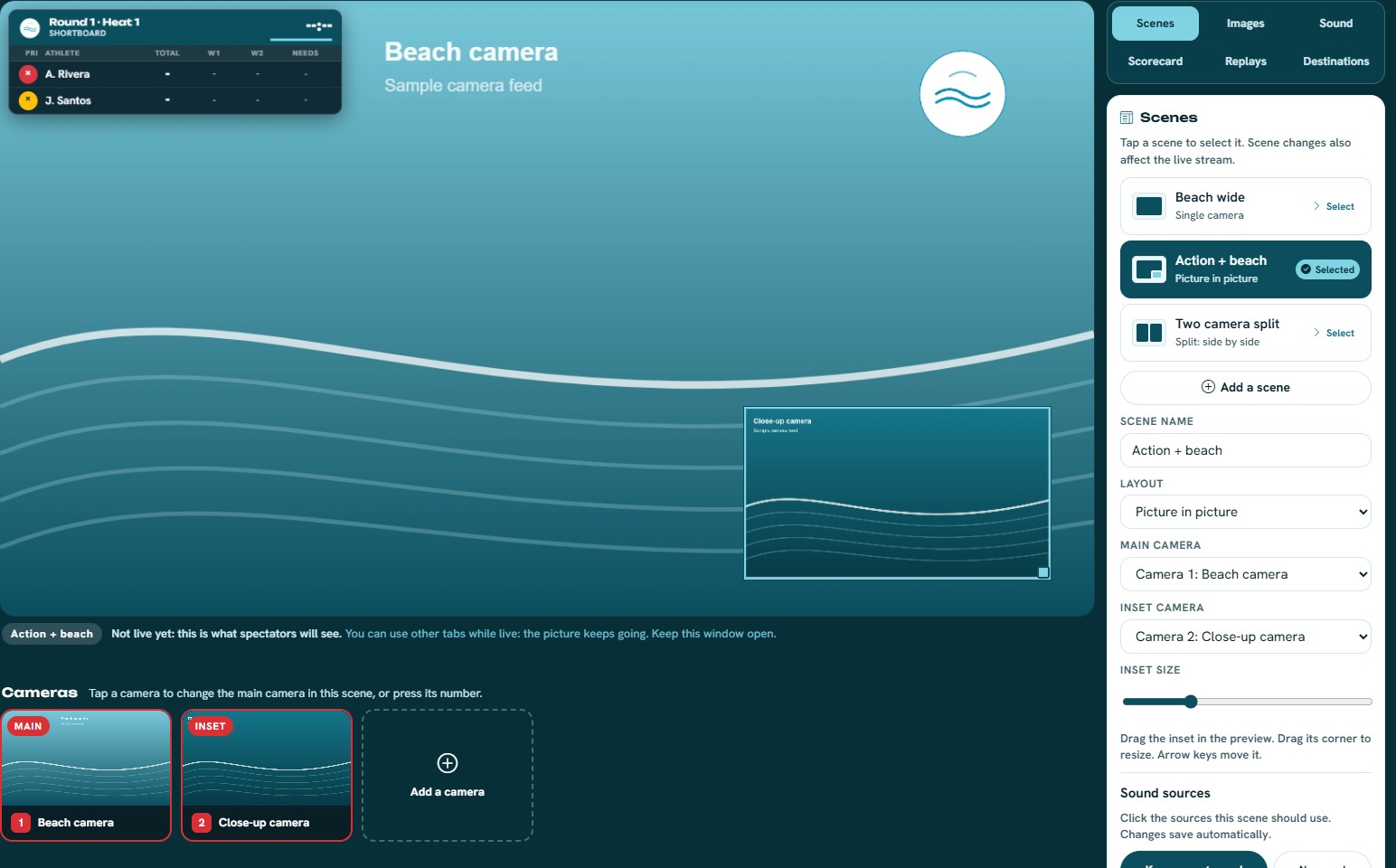
Single camera, picture in picture, or horizontal and vertical split views. Choose from cameras already added, then resize and position the inset.
Select available camera audio and remote microphone sources. An additional phone can contribute audio without sending a camera picture.
Add transparent PNG images and drag or resize them in the composition. Keep your sponsor artwork and scorecard readable.
Studio supports YouTube, Facebook and custom RTMP destinations when the destination account and streaming setup allow them. Use the setup instructions in Destinations for the chosen platform.
Keep Studio open on the production device while broadcasting. Scenes and sponsor images are currently stored in that browser, so prepare and test on the device you will use at the event.
Read the broadcast setup guideOptional event add-on
Scoring tickets include TV displays and OBS overlays. Going live through AGOS Studio uses a separate optional pass. Check the current price and venue connection before your broadcast.